Standard hours
One set of hours and work days for everyone, in your company's time zone.
For teams · Early access
Set your company's standard hours and pay period, share one link, and each person's laptop reminds them to punch in on those hours. No chasing, no watching.
Create your company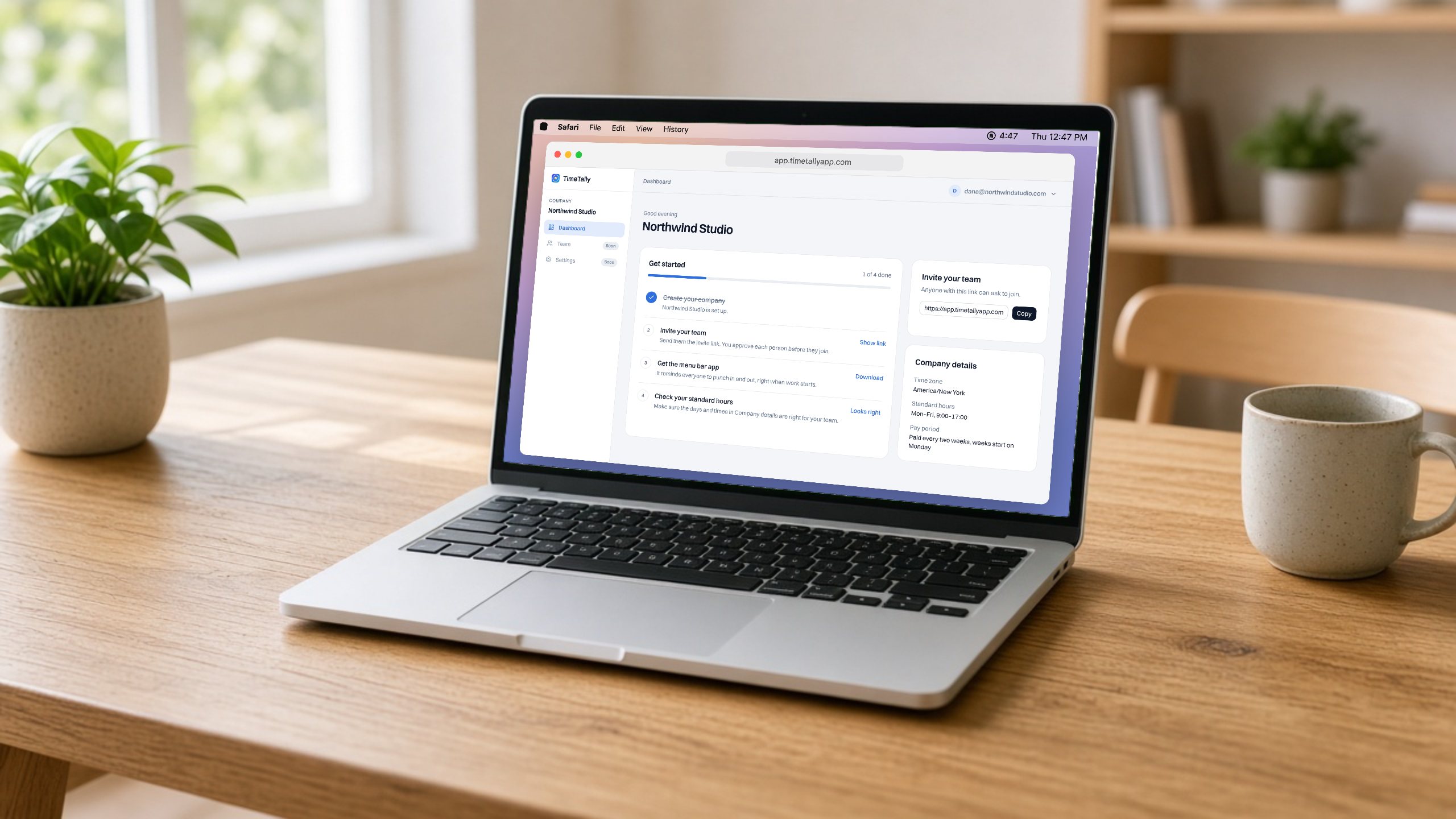
In your browser, in about two minutes.
Its name, time zone, how many people work there and the industry.
Owner, HR or office manager, team lead, or something else.
Work days, when the day starts and ends, and how often everyone is paid.
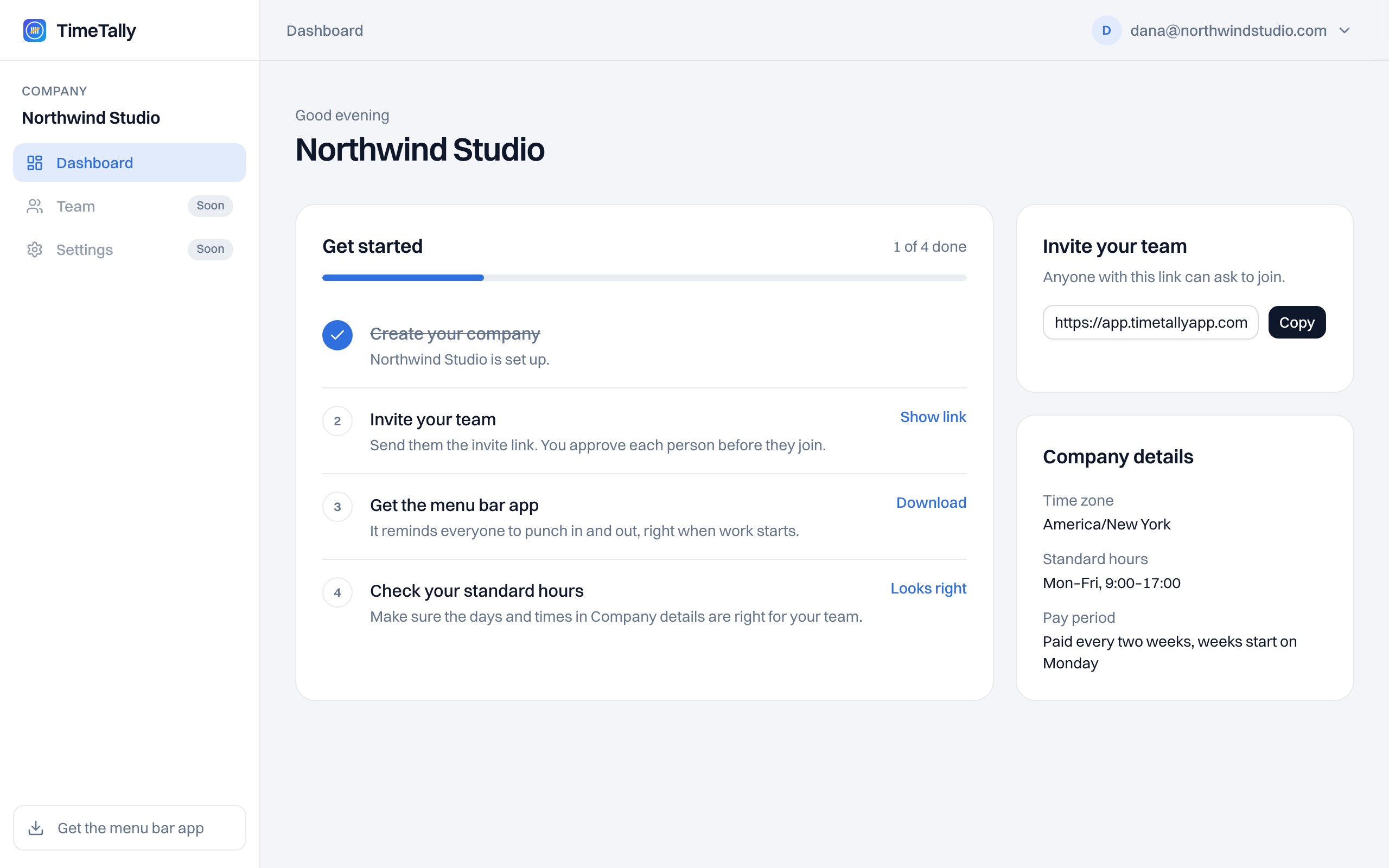
One set of hours and work days for everyone, in your company's time zone.
Weekly, every two weeks, twice a month or monthly.
Copy it from the dashboard and send it however your team talks.
Your company's details and a short checklist to get going.
What we're building now. Not ready yet.
Each person opens the link, creates an account and confirms their time zone.
Their TimeTally reminds them to punch in and out on the company's hours.
See who has punched in, without watching anyone's screen.
Hours by pay period, ready to export before payroll.
TimeTally never records screens, keystrokes or locations. When your team joins, their routines and personal settings stay theirs.