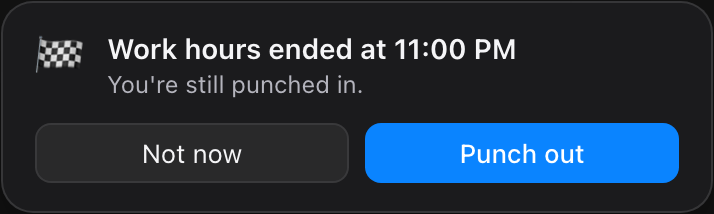
Reminders at the right moment
Five minutes into your shift and not punched in? TimeTally asks. When your hours end, it asks you to punch out.
TimeTally sits in your menu bar or tray and reminds you to punch in and out, right when work starts, however your job tracks time.
For macOS and Windows · All releases
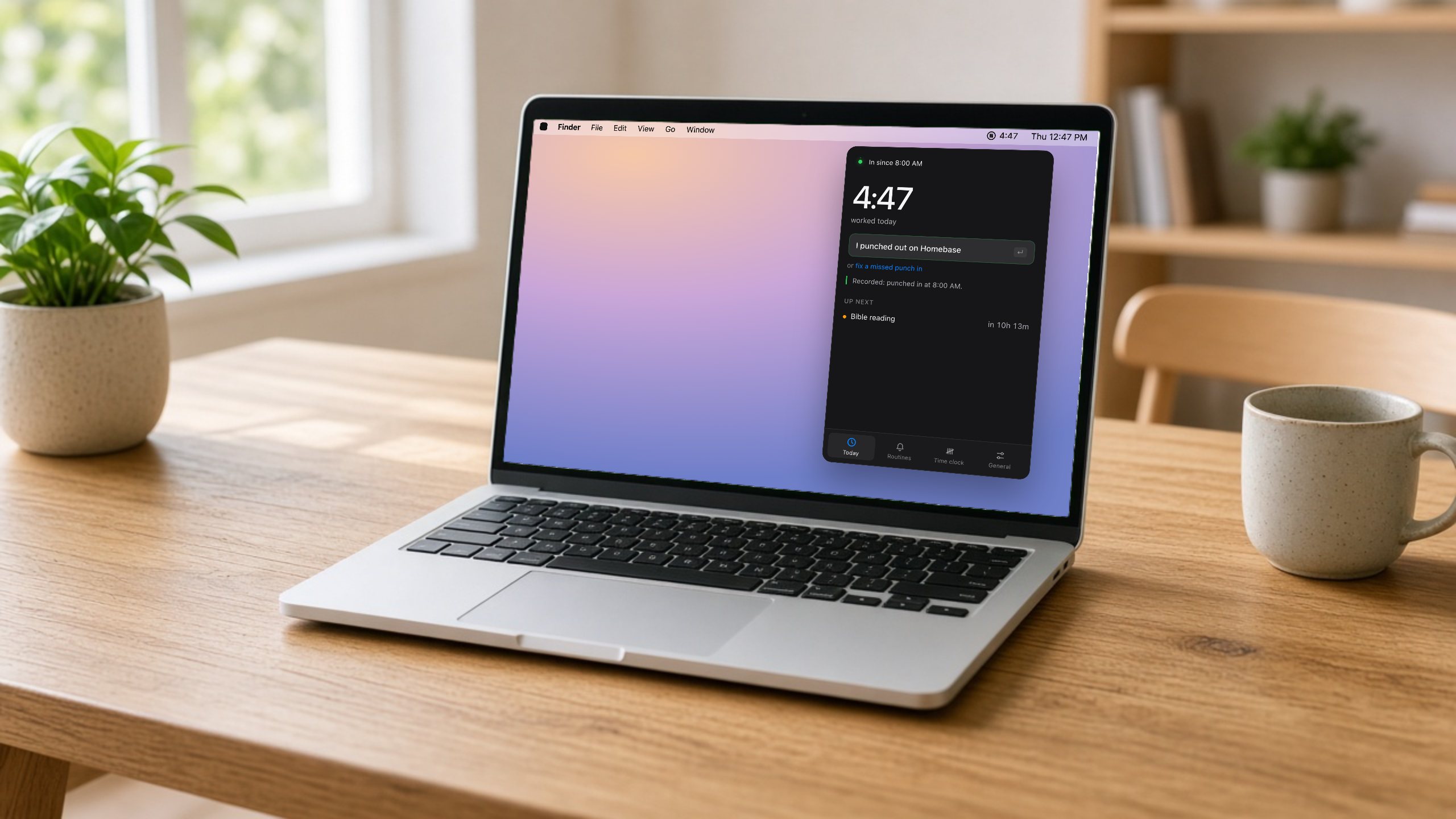
Scroll through a day. Every pop-up here is what the app really shows.
You open Slack like every morning. TimeTally notices you're starting work, and asks.
Tap Punch in. TimeTally records it and starts counting your hours in the menu bar.
Your own routines get heads-ups too: the gym, a reading plan, the school run.
Hours over and still punched in? It asks before you close the laptop.
Tell it once. It does the rest.
Five minutes into your shift and not punched in? TimeTally asks. When your hours end, it asks you to punch out.
Open Slack or your work browser and TimeTally asks if you're starting work. On the Mac.
Every punch is kept on your computer, so you have your own proof when one goes missing.
Hours, routines and what's next, in a panel under the menu bar.
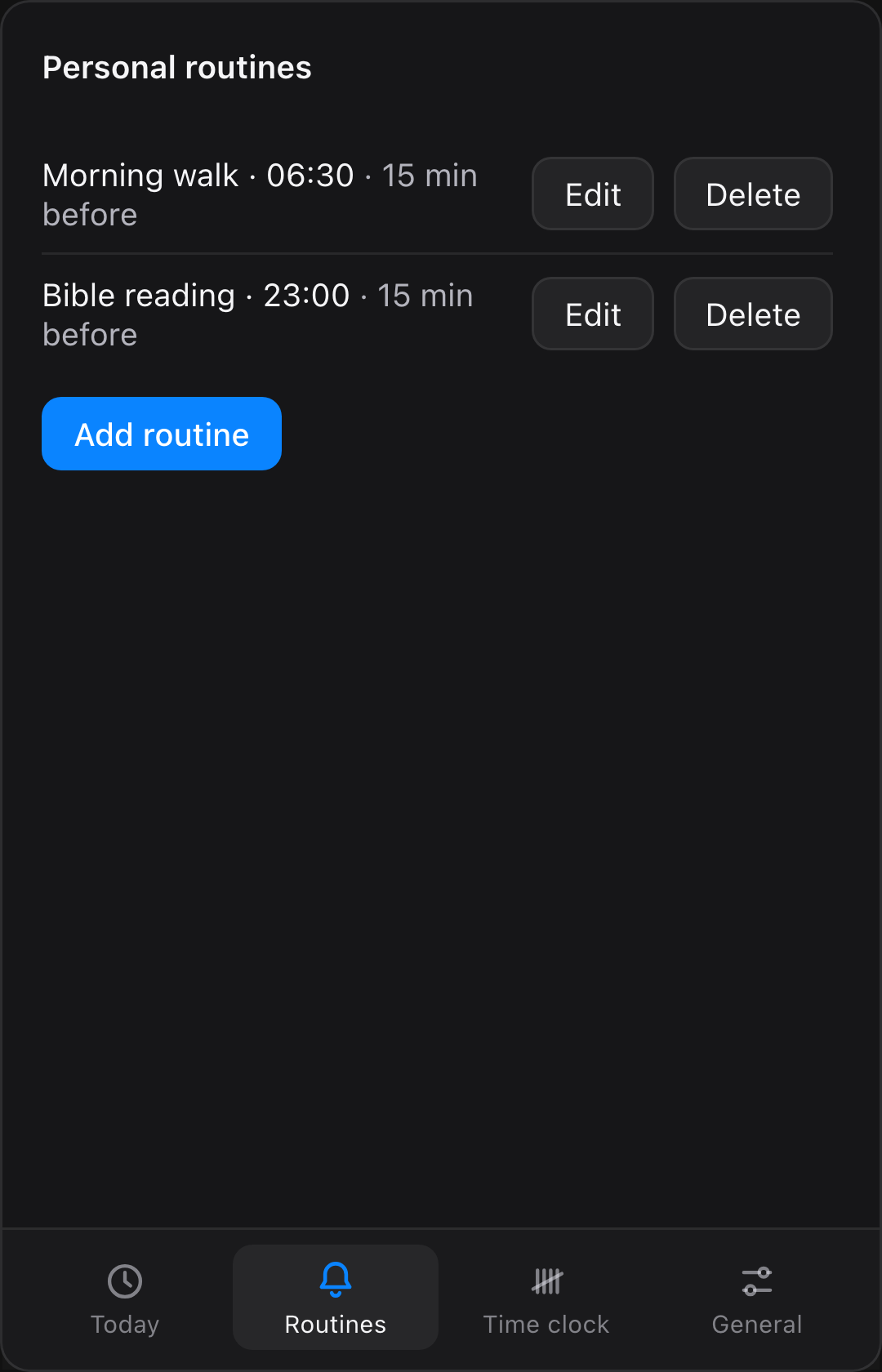
Set them once; reminders follow them.
The gym, a reading plan, the school run.
Slack or Teams opening means work. Mac.
Reminders that step around your meetings. Mac.
Your work hours, your work apps and your own routines, each with a reminder at the minute it matters. These are the app's real reminders.
Same reminders, same one-tap punch. The panel opens right above the clock; pin the icon to your taskbar so it's always in view.
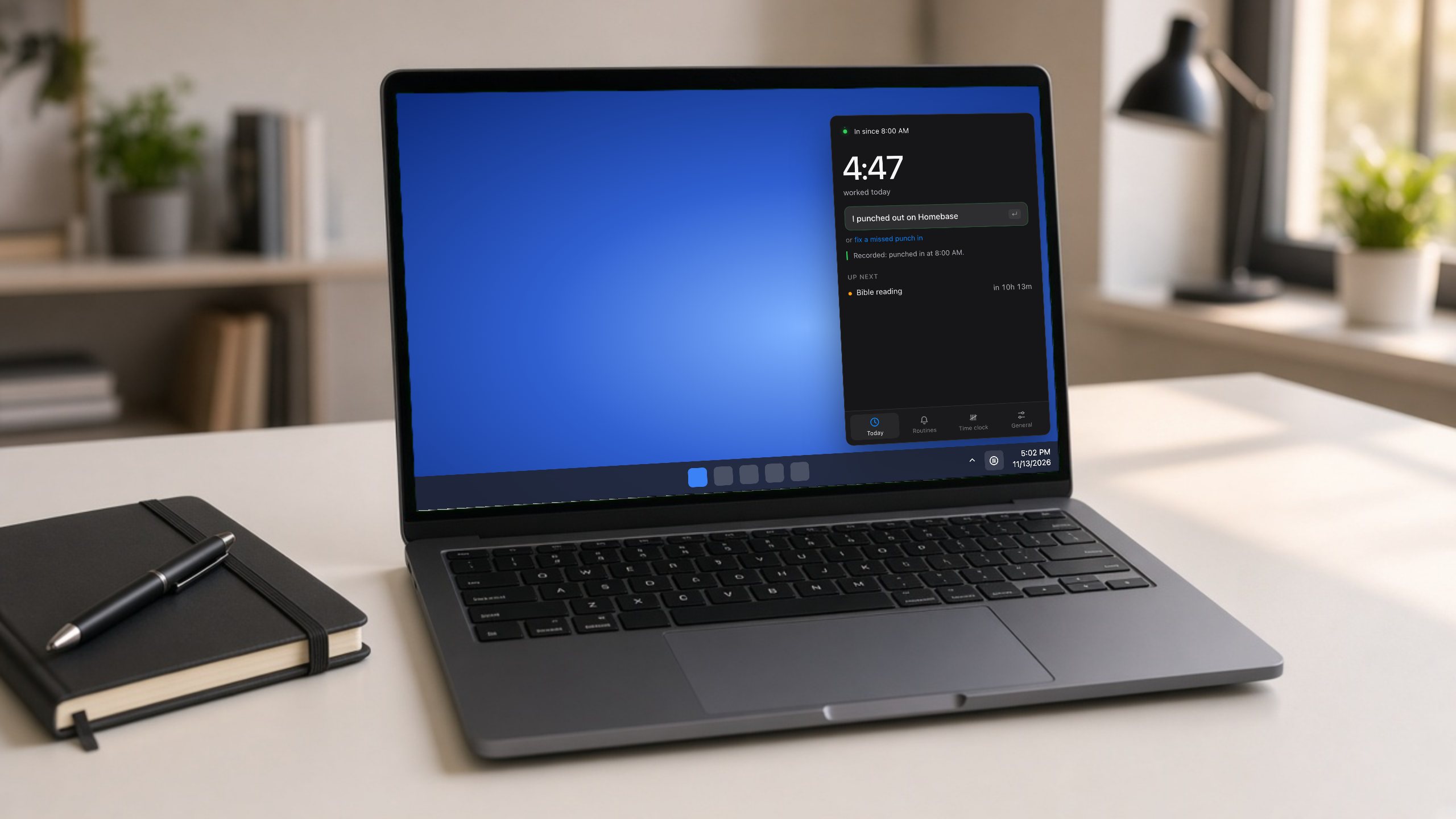
Set up in a minute, then forget about it.
An online form, a website, a phone app, a badge, or nothing at all.
When work starts, when it ends, and when your work apps open.
Punch from the reminder. With an online form, TimeTally sends it for you.
New · For teams
Create your company, set its standard hours and pay period, and share one invite link. Each person's laptop will remind them on those hours.
What we're building now. Not in the app yet.
Clocked in or out, hours today and what's next, always on screen.
Your meetings in the same timeline as your hours and routines, on Mac and Windows.
Opt in, and after you punch out TimeTally marks the rest of your work day busy, so no one books you.
No tracking, no employer dashboard. Your account is just your email; your punches live on your own computer.